DIY projects / 28 October 2025
Thrustmaster USB conversion V2 and Simagic EVO passthrough
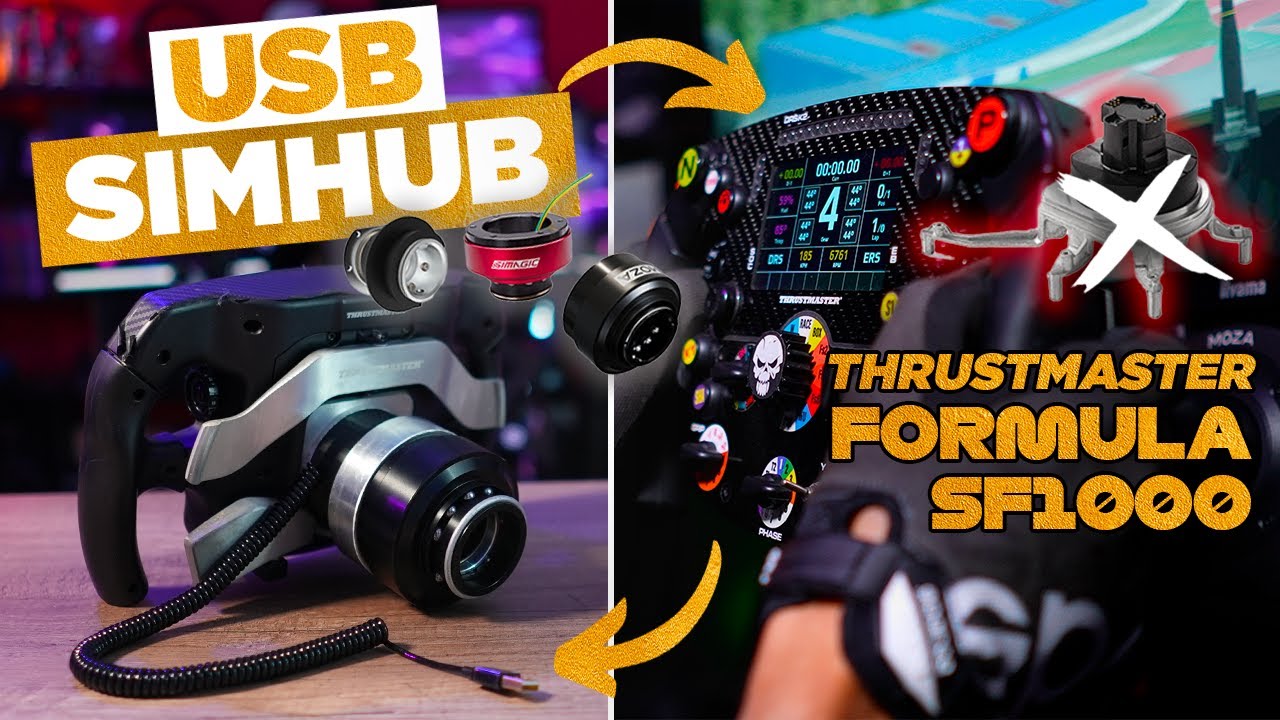
I revisit my Thrustmaster SF1000 USB conversion with the second version of Mathieu's adapter. It makes changing the mounting hardware easier and allows the wheel to work on another base, with the appropriate adaptations. I then show two ways of routing USB through a Simagic Alpha EVO, before separately configuring the display's telemetry connection in SimHub and checking the result on track.
What changes in this second version
The principle remains the same as the first conversion: replace the original mounting and interface to obtain the wheel's controls over USB. Once modified, the SF1000 connects to the PC independently of the wheelbase supplying force feedback.
The main V2 improvement is mechanical. After the initial installation, the quick-release fasteners remain accessible from outside. I can change mounting systems without reopening the entire wheel. I also find the assembly shorter, lighter and simpler than the first version.
This should not be confused with the official Thrustmaster kit introduced around the same time for the T818 and T598. That adapts the SF1000 to those Thrustmaster bases; my project provides a separate USB connection and a choice of quick release. Mechanical fit alone does not guarantee operation on every base: for Fanatec, I specifically mention the need for a suitable hub or emulation solution to enable force feedback.
Open the wheel and fit the adapter
I remove the covers and disconnect the necessary ribbon cables to access the internal frame. Removing the original quick release took the most time. The disassembly steps in Thrustmaster's guide remain a useful reference for identifying the parts involved.
The adapter attaches to the frame with three M5 screws reached from inside. That mounting must be completed before closing the wheel, as those screws will no longer be accessible. The kit includes a main JST connection and an extension for one analogue paddle; the other paddle connects without that extension.
I reconnect the cables and replace the covers without trapping any wires. Before reinstalling every screw, a USB check confirms that the controls respond. Attaching the quick release before fully closing the wheel is also easier: I do it later in the video, and the paddles obstruct access to the screws.
Two USB routes through an Alpha EVO
The most straightforward option I demonstrate uses Simagic's QR-A. The USB cable connects to it, with data then passing through the Alpha EVO base. There is no longer a cable hanging between the wheel and PC.
The alternative uses a small circuit board inside a compatible quick release. I route a USB cable from the adapter to this board after preparing an opening in the rear plate. The connections then need to be made and the board fitted inside the quick release. Circuit files accompany the project.
This remains an electrical USB connection, carried through the base's contacts. “Wireless” here means the absence of an external cable, rather than a new radio link for the buttons.
Check the controls before configuring the screen
Windows' game-controller panel identifies the wheel as an SF1000. I check buttons, joysticks, gear paddles and analogue axes. The latter may need calibration.
This separates two functions: controls travel over USB, while the display continues receiving telemetry over the network. Changing the quick release does not automatically provide a different display system.
Restore the dashboards through SimHub
I install the SF1000 UDP plugin in SimHub's folder, enable it and make its tab visible. On the wheel, I configure Wi-Fi and note its IP address. That address, specific to my installation, is what I enter in the plugin.
The important check is communication between the PC and wheel on the local network. The SF1000 uses 2.4 GHz Wi-Fi; if it does not communicate, one thing to check is whether the network isolates devices. The UDP format also needs checking if information displays incorrectly. For Le Mans Ultimate, the note accompanying the video specifies the F1 2020 format.
The iRacing test confirms gear changes and the display of available information, including fuel. These remain the SF1000's familiar pages: the plugin transmits data rather than replacing them with a collection of new dashboards. The result retains the wheel's controls and display, with mounting hardware that is easier to change later.
Join the discussion on YouTube